13. Logs
Who: admins.
Logs answers two questions: what are visitors doing on my site? and who did what in the admin? It has four tabs:
| Tab | What it shows |
|---|---|
| Overview | Totals, a chart and top lists for a chosen period. |
| Visits | Every page view on the public site. |
| Clicks | Clicks on links and buttons of the public site. |
| Activity | Everything that people did in the admin (an audit trail). |
Overview
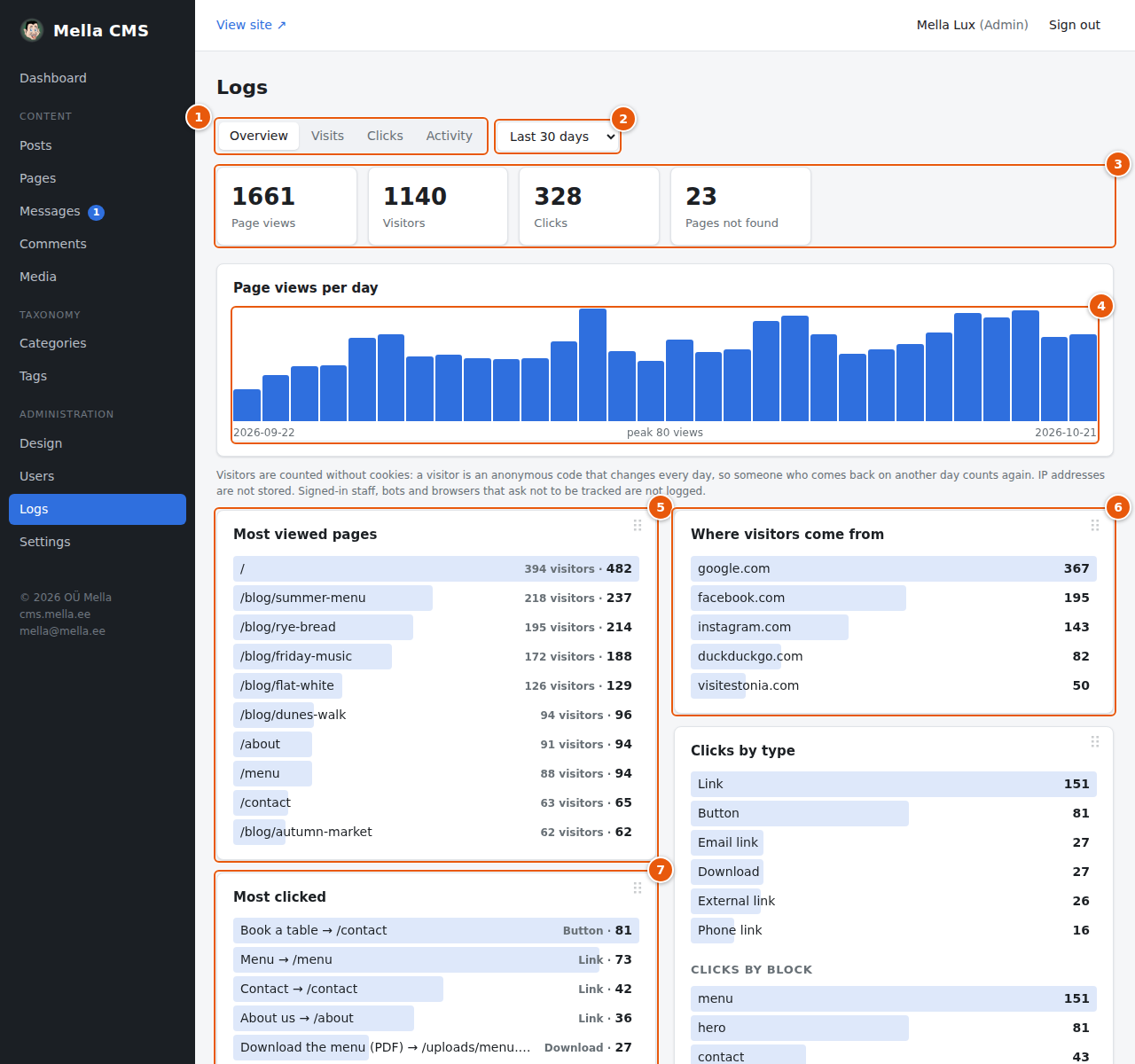
- The tabs.
- The period: last 24 hours, 7, 30 or 90 days, or the last year.
- Four counters: Page views, Visitors, Clicks and Pages not found (visits to addresses that do not exist; a long list here may mean broken links).
- Page views per day. One bar per day; point at a bar to see that day's numbers. The line below the chart shows the first day, the peak and the last day.
- Most viewed pages, with the number of views and of different visitors.
- Where visitors come from: the sites that sent them (Google, Facebook…). Direct means they typed the address or used a bookmark.
- Most clicked: the links and buttons that visitors use most, for example your Book a table button.
Further down: Clicks by type and by block, Devices, Browsers, Operating systems, Languages and Pages not found.
Visits
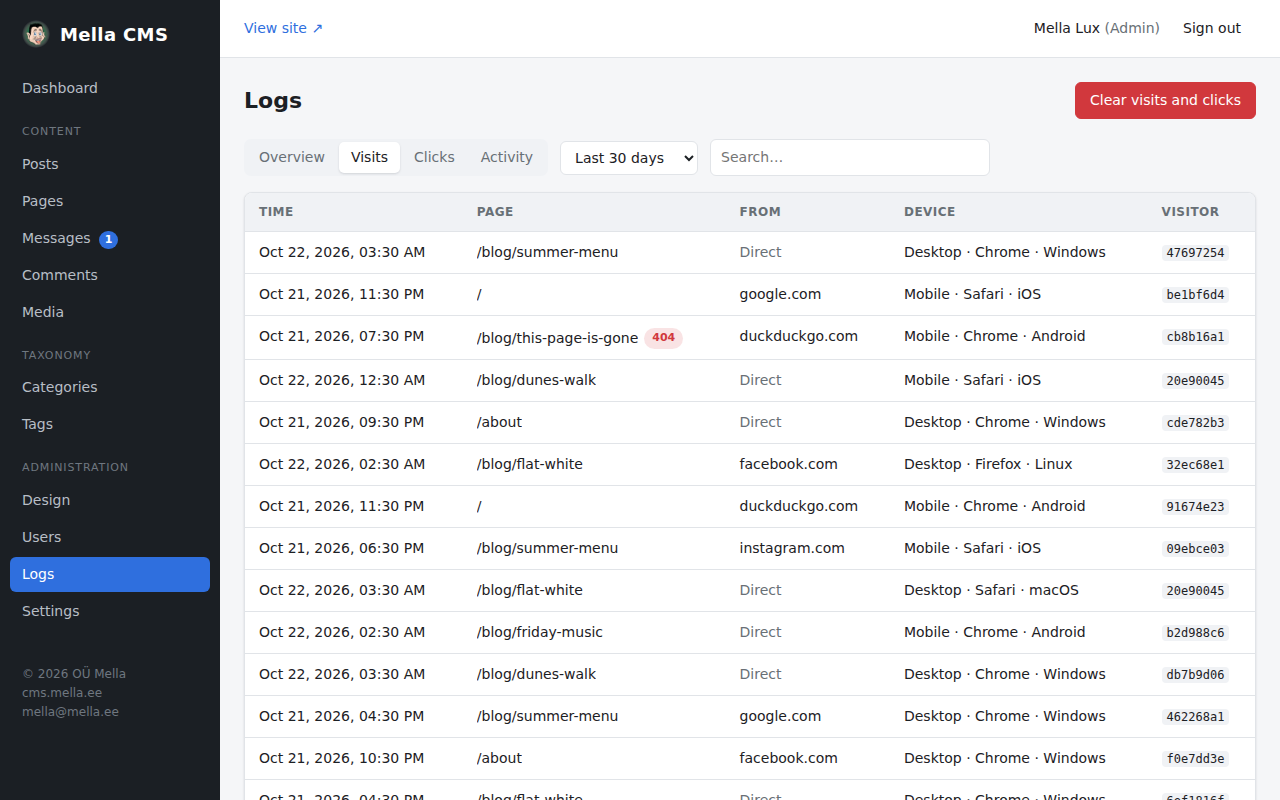
Every row is one page view: time, page, where the visitor came from, device, browser and system, and an anonymous visitor code. A red 404 next to a page means that the address did not exist. Use the search box to find a page, and the period menu to choose the time range.
Clicks
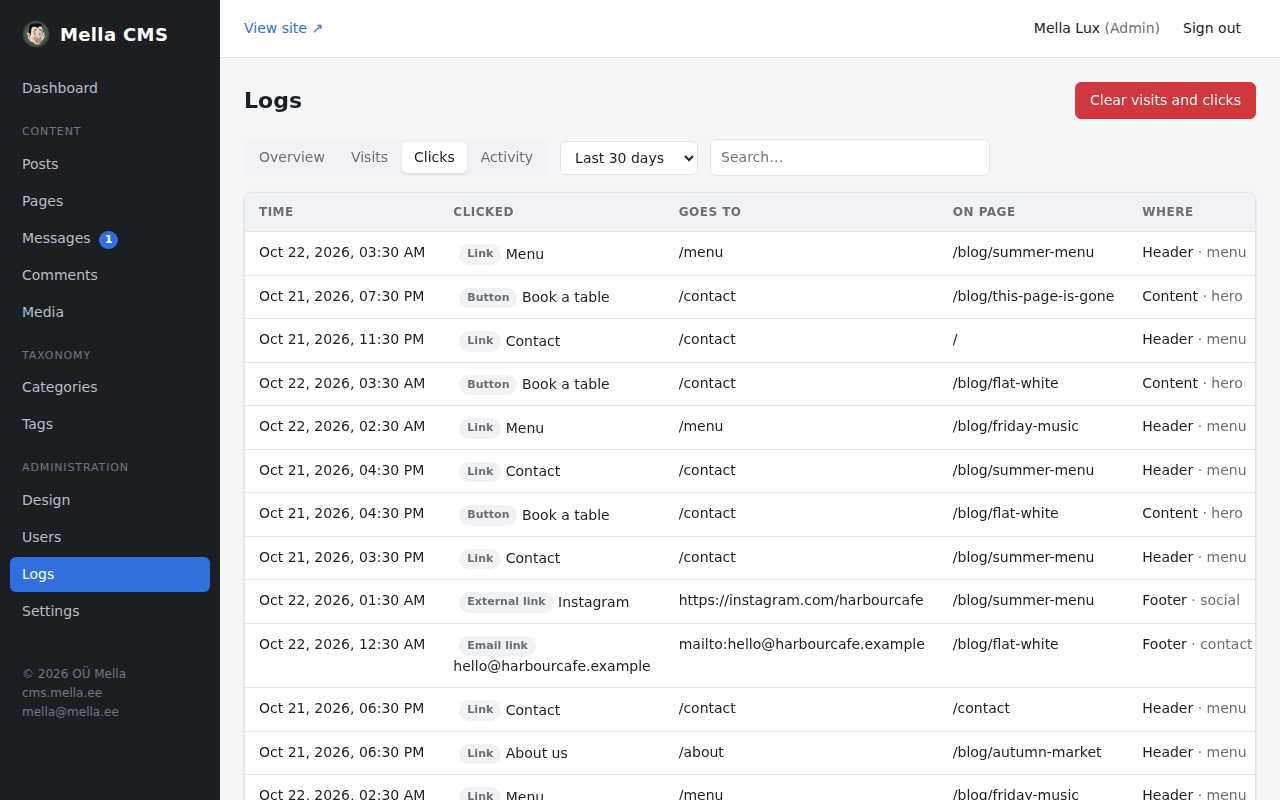
Each row is a click on something on the public site: what was clicked (a Link, External link, Download, Email link, Phone link or Button), where it goes, on which page, and where on that page (Header, Content or Footer, and the name of the block). This tells you which buttons and links work, and which are ignored.
Both lists have a red Clear visits and clicks button. It empties the visit and click records at once, after you confirm. The activity log is not touched.
Activity
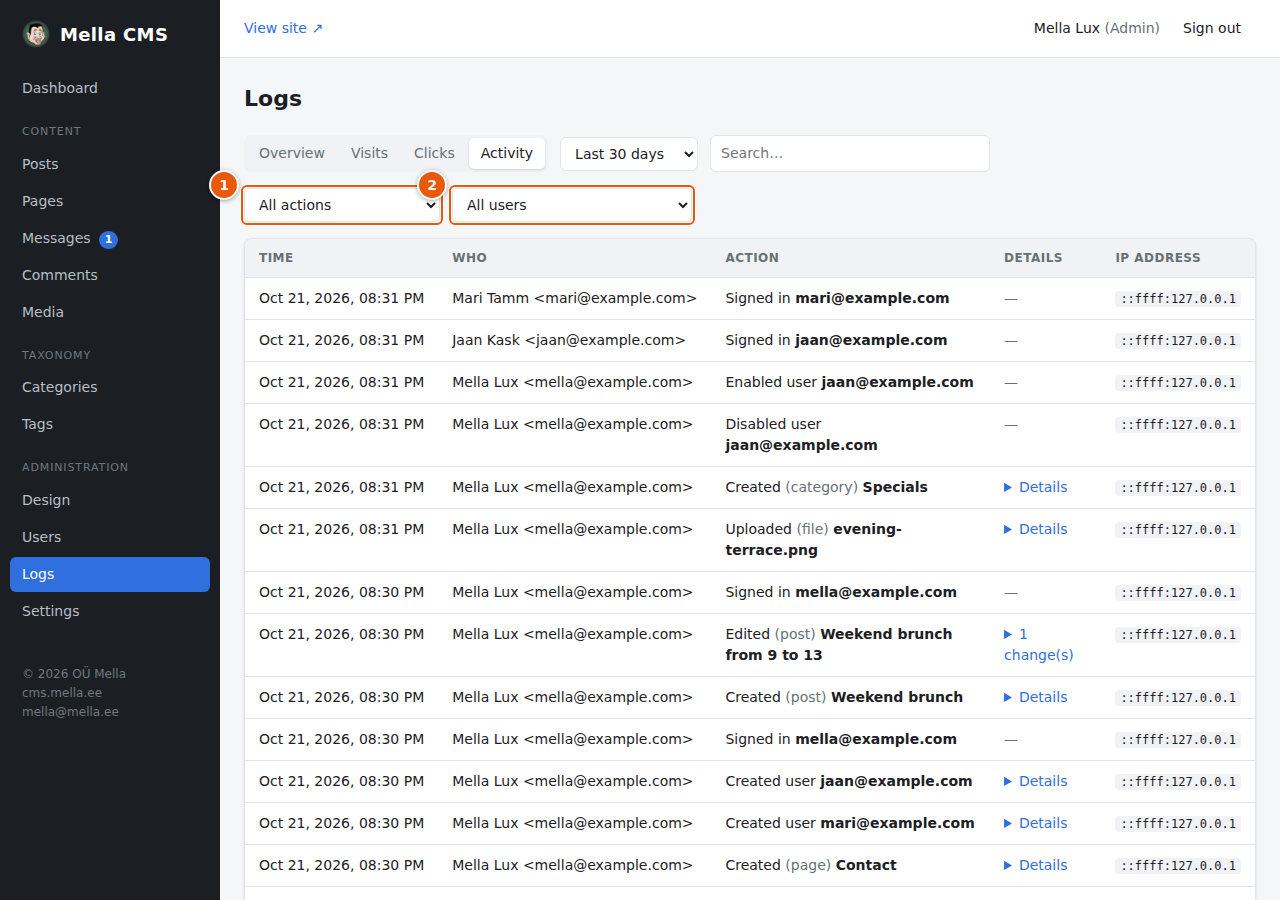
The audit trail records what happens in the admin: signing in (also failed and blocked attempts, which are marked), signing out, password changes and resets, creating, editing, publishing and deleting posts, pages, categories, tags, media, users and messages, changes in the settings and the design, and the create-admin and reset-password commands on the server.
Each line has the time, who did it (their name and email, kept as text so that the line stays even after the account is deleted), what was done, details (click Details to see what was changed, from → to; a password is never shown) and the IP address.
- Type of action narrows the list to, for example, Sign-ins and accounts or Posts and pages.
- User shows the actions of one person.
You can also search and choose the period.
Privacy
The visit and click logs are made to respect your visitors:
- No cookies and no IP address or browser details are stored with a visit.
- A visitor is shown as an anonymous code made from the IP address and browser together with a random salt that is replaced every day and then deleted. So the code cannot be traced back to a person, and cannot be followed from one day to the next (someone who returns tomorrow counts as a new visitor).
- Address parameters (
?…) and fragments (#…) are never stored. - Nothing is logged for signed-in staff, bots, previews, or browsers that send Do Not Track or Global Privacy Control.
The activity log, in contrast, is a record of staff actions and does include IP addresses.
How long are logs kept?
By default, visits and clicks are kept 90 days and the activity log 365 days. Older entries are deleted automatically. You can change this, or switch logging off, in Settings → Logs. A value of 0 means "keep forever".