5. Pages
Who: editors and admins. Authors do not see this section.
Pages are for content that is not tied to a date: About us, Menu, Contact, Opening hours. Unlike posts they have no categories or tags, and they are not listed by date. A page lives directly under the address of the site: the page with the slug about is at https://your-site.example/about.
The list of pages
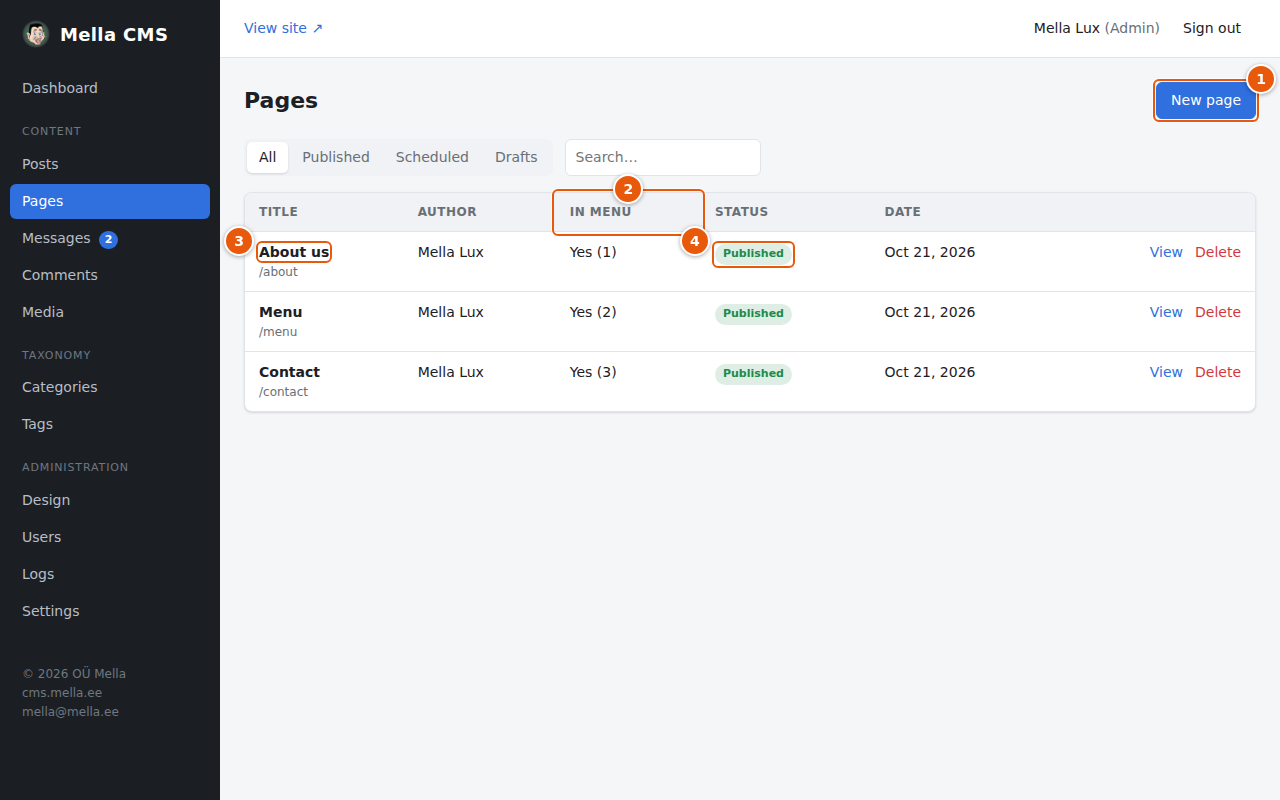
- New page.
- The In menu column shows whether the page is a link in the site's menu, and in which position (the number in brackets).
- The title opens the page in the editor.
- The status: Published, Scheduled or Draft.
You can filter by status and search, exactly as in the list of posts (Posts).
Writing a page
Pages use the same editor as posts, so everything in Posts and The editor in detail applies. The differences are on the right-hand side:
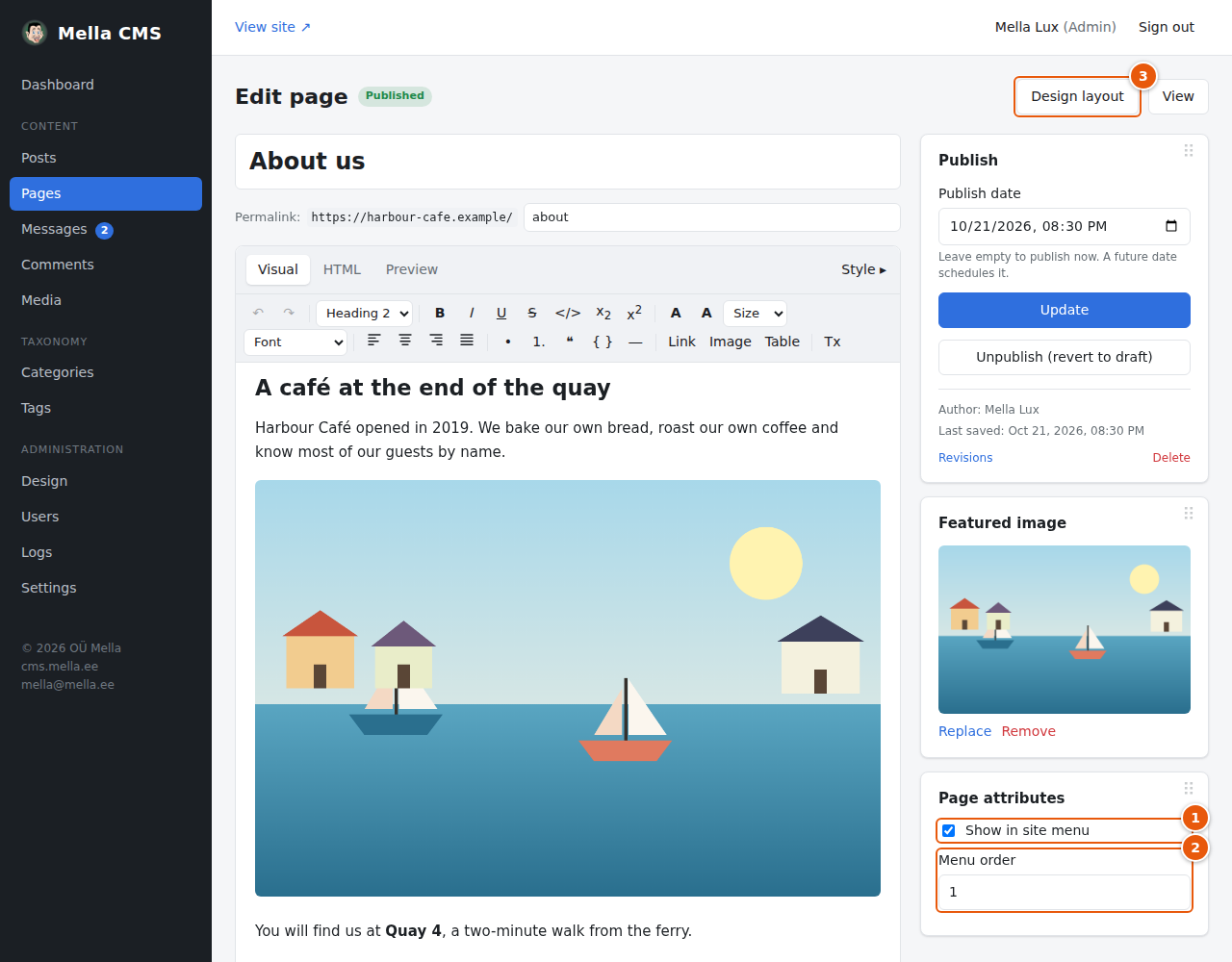
- Show in site menu: tick it and the page is added to the menu at the top of the site.
- Menu order: pages in the menu are sorted by this number, smallest first. Give your pages 1, 2, 3… in the order you want them. Spaces such as 10, 20, 30 make it easy to insert a page later.
- Design layout: gives this page only its own layout, for example a landing page with a banner and columns. See Design.
There are no categories or tags on pages. The panels for Publish, Featured image, Excerpt and SEO work as for posts.
What the visitor sees
The pages marked Show in site menu appear in the menu of the header:
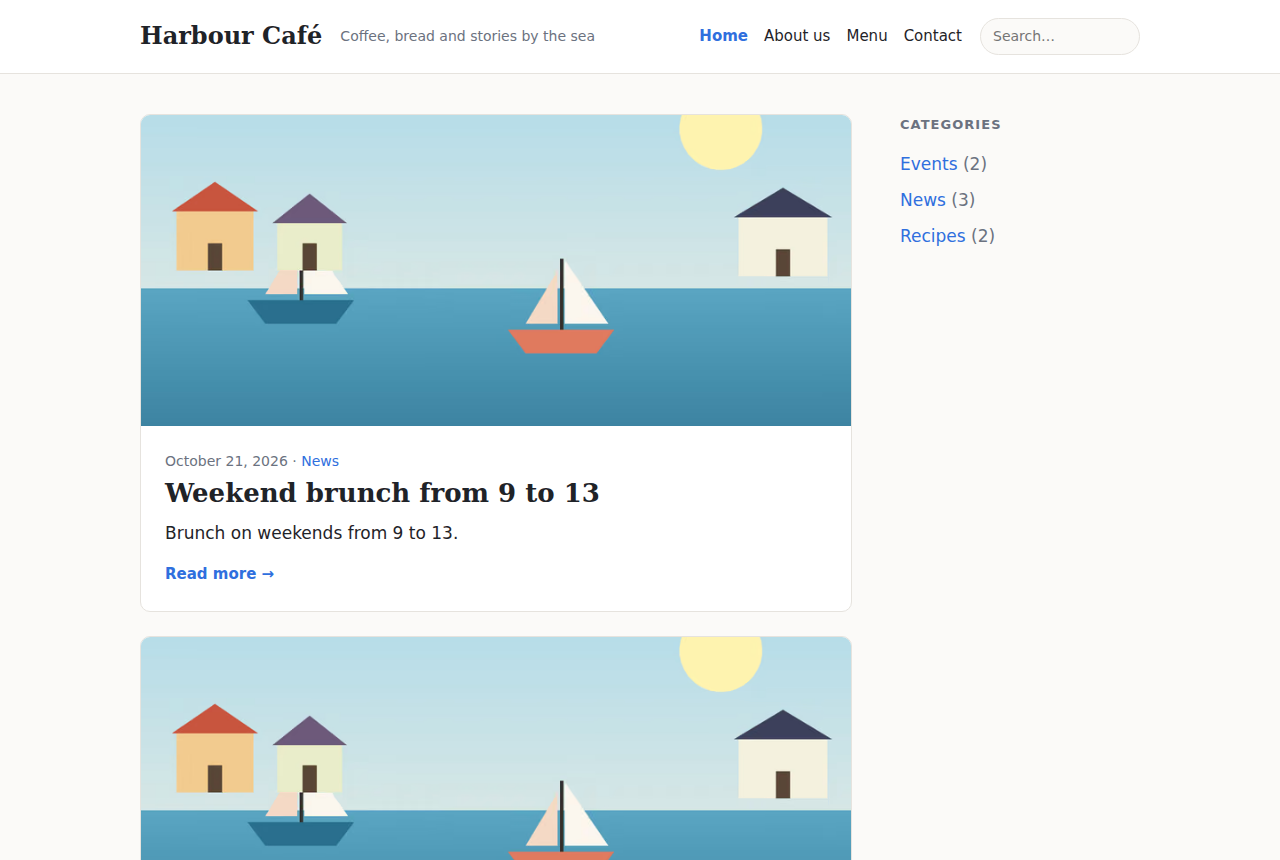
The menu is part of the site's header. How it looks (and links that are not pages, such as Blog, or that open in a new tab or a pop-up) is controlled in Design.
Using a page as the home page
By default the home page shows the latest posts. In Settings → Home page & reading you can choose one of your pages as the home page instead. See Settings.
Page addresses that are not allowed
A few addresses are used by the site itself and cannot be used as the slug of a page, for example admin, api, blog, category, tag, search, author, feed.xml and sitemap.xml. If you try one, the CMS asks you to choose another. A language code (such as et) cannot be used either when the site has that language.