12. Users and roles
Who: admins.
Under Users you decide who can sign in to the admin and what they may do.
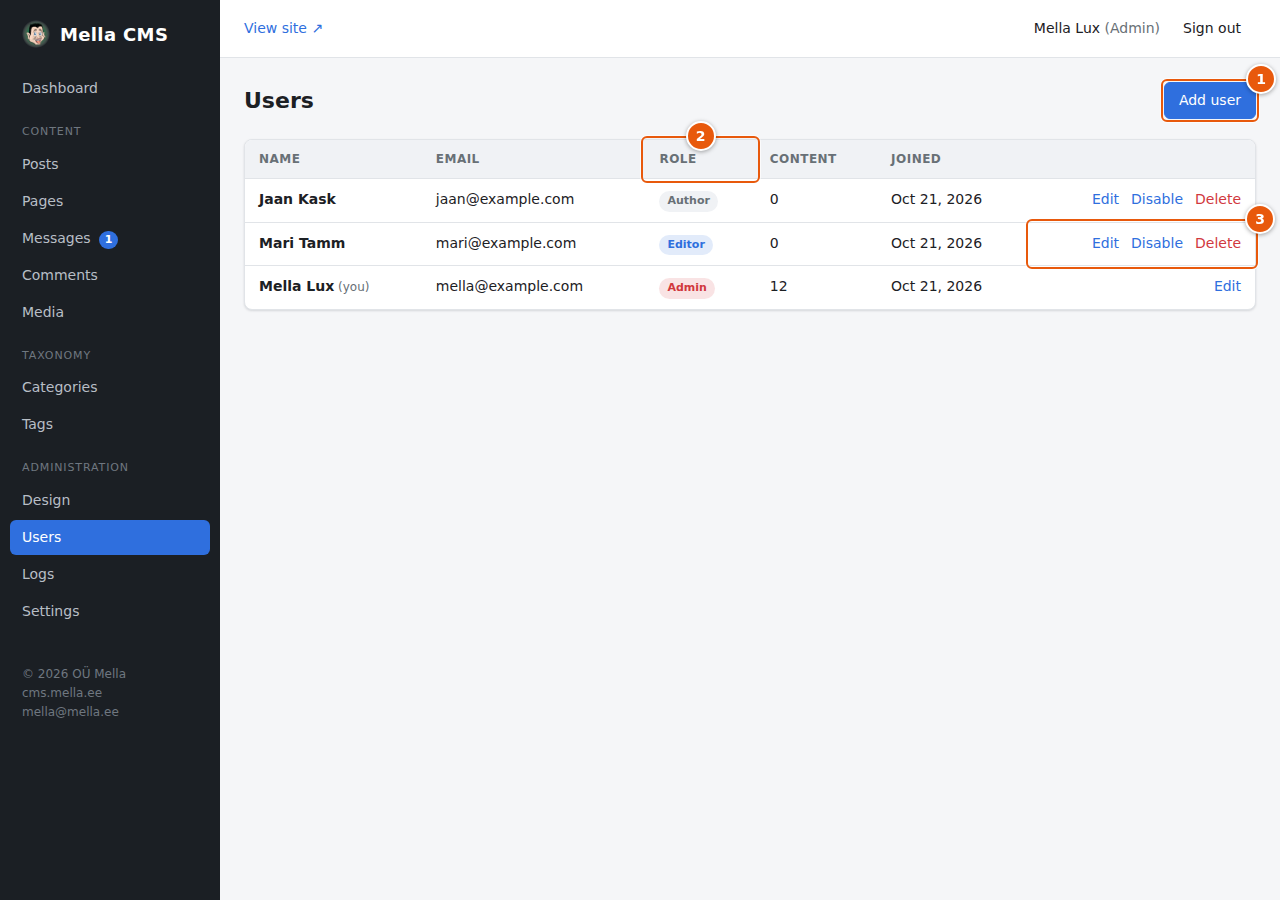
- Add user creates a new account.
- Role: Author, Editor or Admin. The table of what each role can do is in Getting started.
- Actions: Edit, Disable and Delete. You cannot disable or delete your own account (it is marked you).
The Content column shows how many posts and pages the person has written.
Adding a user
Press Add user:
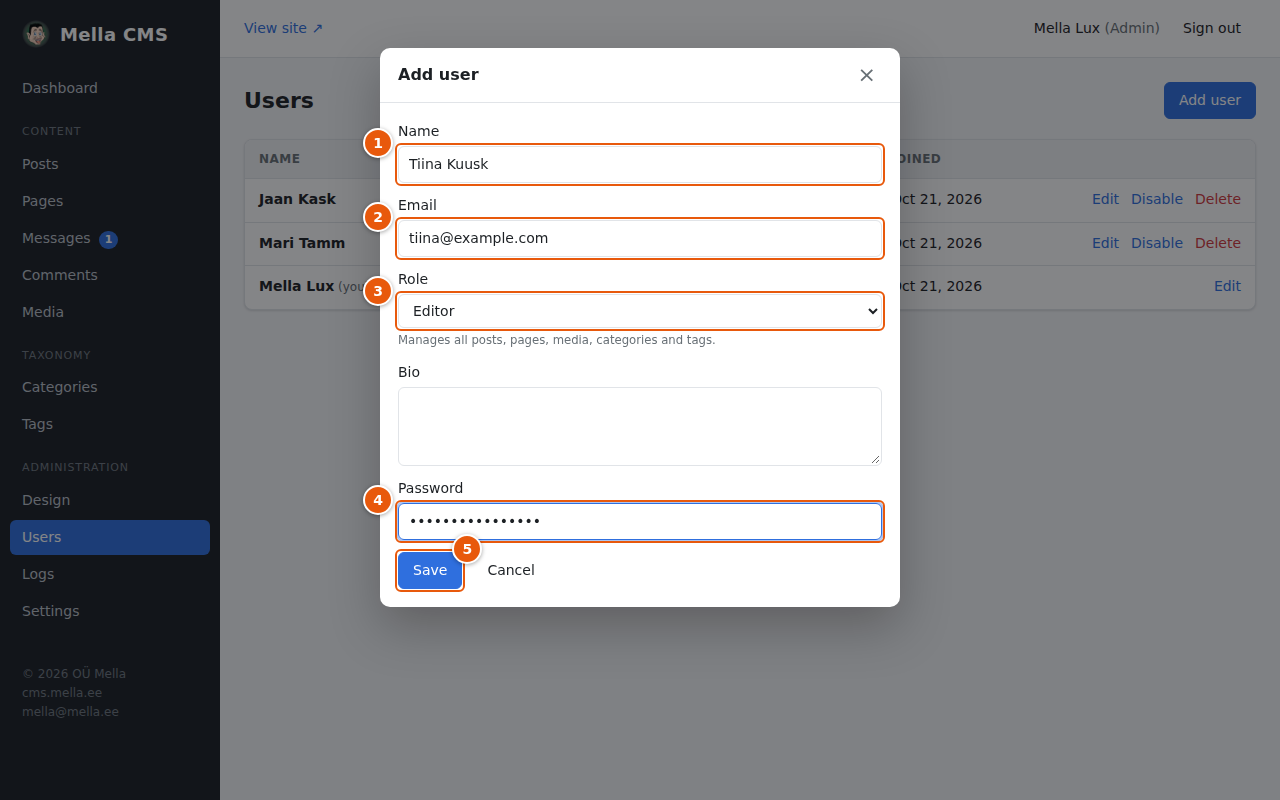
- Name: shown as the author of their posts.
- Email: the address they sign in with. It must be unique.
- Role: choose the lowest role that lets the person do their job. Most writers need Author; people who look after the whole site's content need Editor. A note under the menu says what the chosen role allows.
- Password: at least 8 characters. Tell the person the password in a safe way (not by ordinary email if you can avoid it) and ask them to change it in their profile after the first sign-in.
- Save.
There is also a Bio field. It is shown on the author's page on the site.
To change a person's name, email, role or password, press Edit. Leave the password empty to keep the current one. A new password also lifts a lockout after failed sign-ins and signs the person out everywhere.
Disabling an account
Disable is for someone who should not use the site for now, for example a person who has left. They are signed out everywhere and cannot sign in or reset their password until you press Enable. Their posts and pages stay as they are.
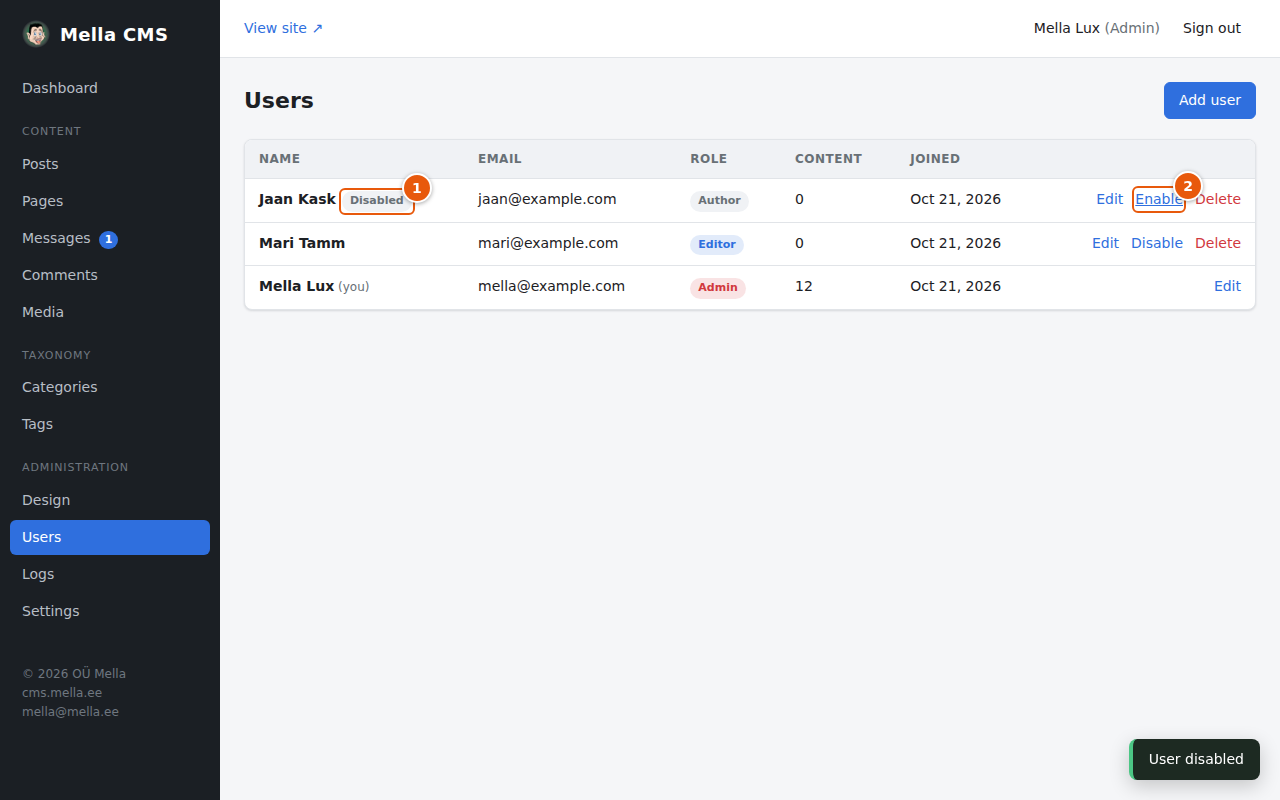
- A Disabled label next to the name.
- The Disable link turns into Enable.
Deleting an account
Press Delete. If the person has written posts or pages, the CMS asks who should take them over:
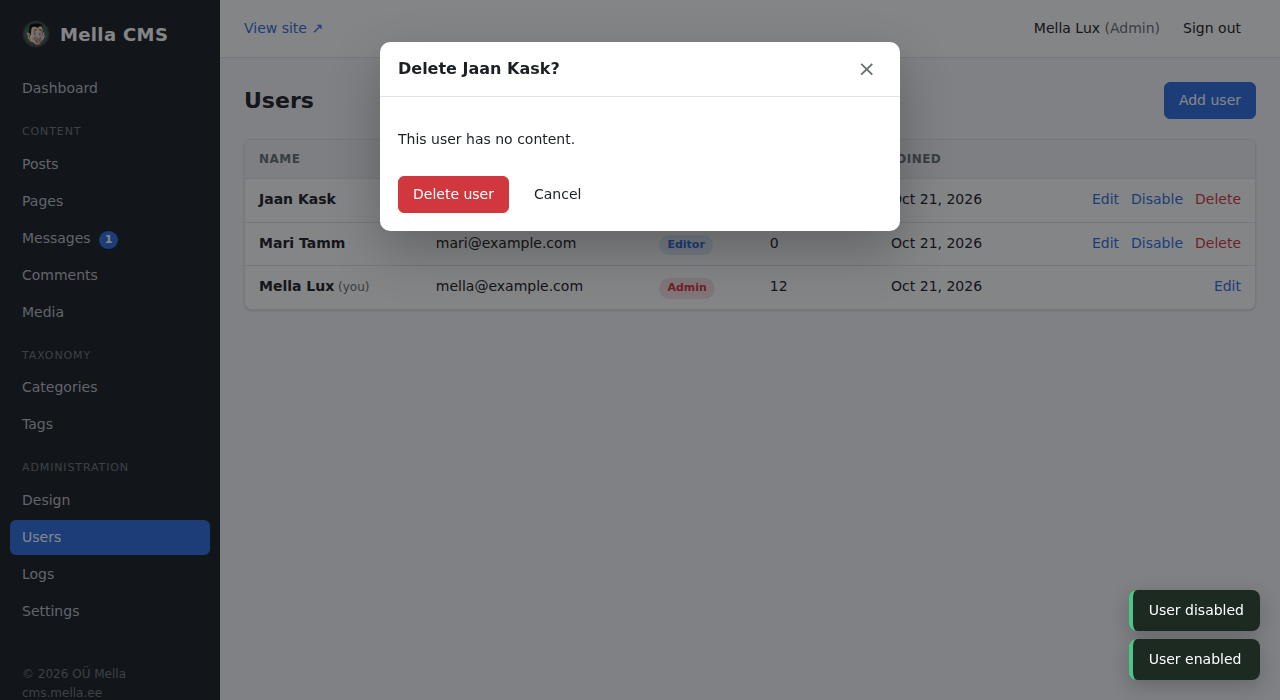
Choose a user, or No one (leave without an author), and press Delete user. You cannot undo it. If you only want to stop someone signing in, disable the account instead.
Which role to give?
Giving a role is about trust and need:
- Give Admin to as few people as possible. Admins can change the design and the settings, add and remove users and read the logs.
- Give Editor to people who maintain the content as a whole, including pages and messages.
- Give Author to people who only write their own posts.