8. Messages
Who: editors and admins.
When a visitor fills in the contact form on your site, the message is kept under Messages. If your site is set up to send email, you also receive a copy in your inbox.
What the visitor sees
The contact form is a block in the page builder. A visitor writes their name, email and message (a phone number, a subject and a consent checkbox can be switched on) and presses Send message. The form works without leaving the page.
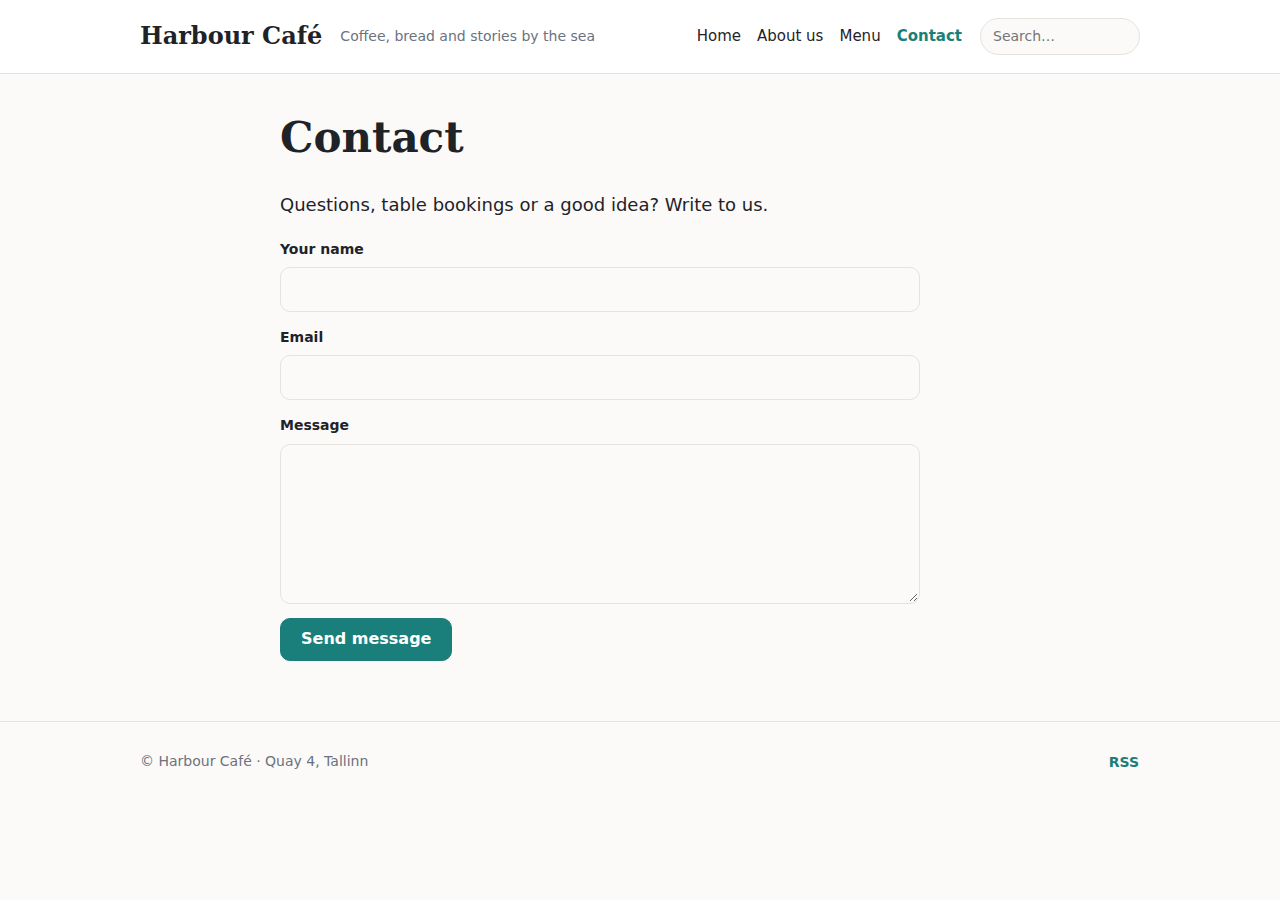
Select the form in the builder to change it:
- Title and Subtitle are shown above the form.
- Email subject sets the subject line of the email you receive. Use
{site},{name},{email},{subject}and{page}to include details from the message, for exampleNew enquiry from {name}. Empty means the default. - Extra fields: click Add field and choose its type (short or long text, email, phone, number, web address, date, drop-down list, one-of-several choice or checkbox). A field can be required, can have a placeholder and a help text, and can be half width so two fields sit side by side. The answers are added to the message and the email.
- Labels decide where each field's label goes: above the field, beside it, inside it as a placeholder, or inside it as a label that moves up as soon as the visitor focuses the field. Field style (outlined, filled, underline), the space between fields and a mark for required fields are set there too.
The inbox
Open Messages. A blue number next to it in the menu counts the unread messages.
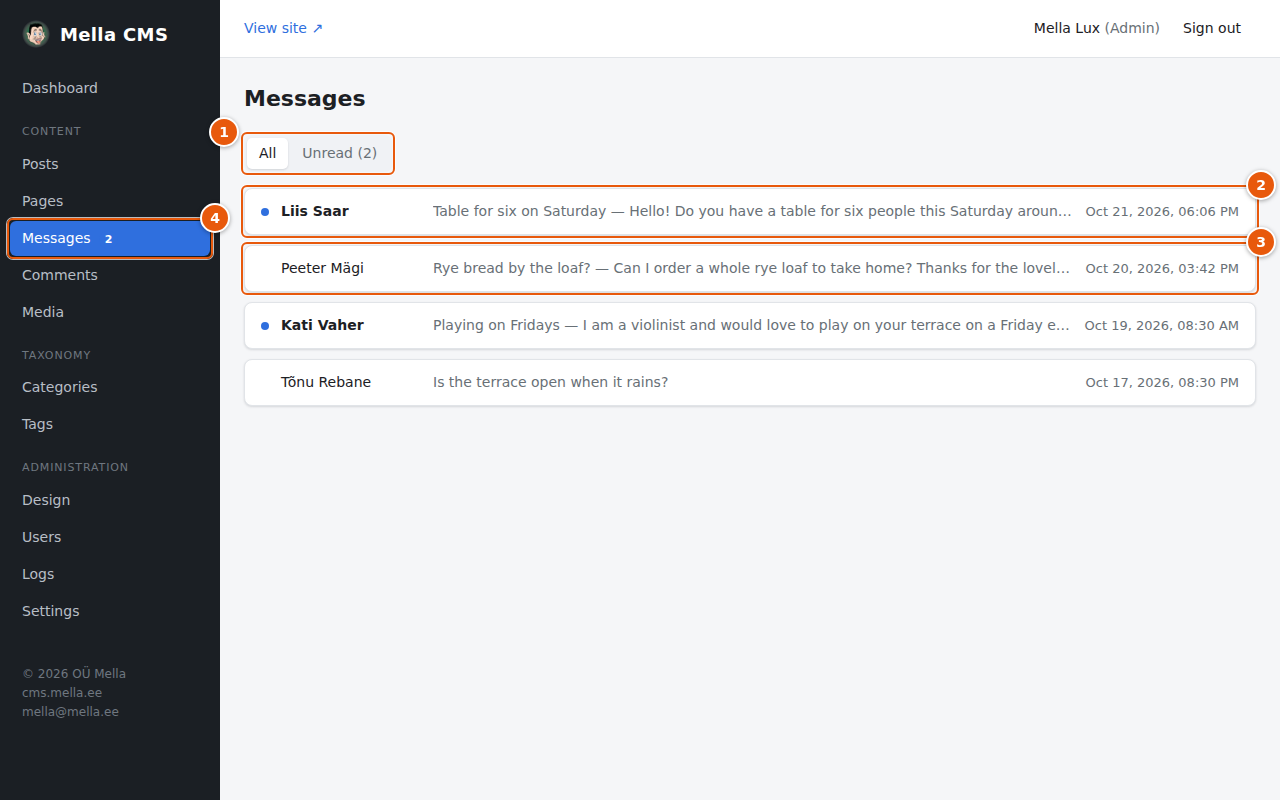
- All / Unread shows every message, or just the ones you have not opened yet. The number in brackets is how many are unread.
- An unread message has a blue dot and a bold name.
- A read message.
- The counter in the menu is shown only while something is unread.
Click a message to open it:
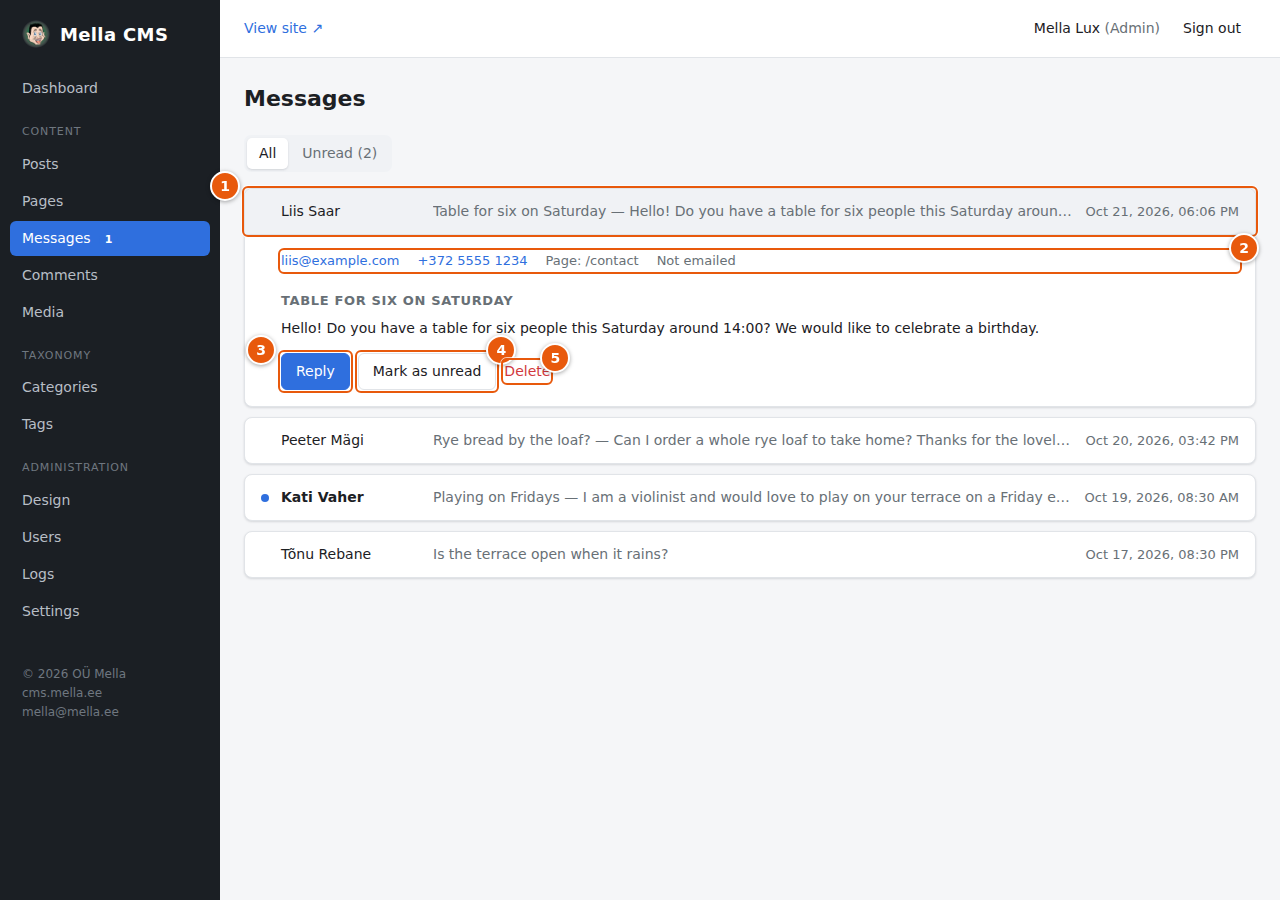
- The header line shows the sender, a snippet, and when it arrived. Click it again to close.
- Details: the sender's email and phone (click to write or call), the answers to any extra fields of the form, the page the form was on, and the email status:
- Not emailed: email sending is not set up, or no recipient is set. The message is only here.
- Emailed → address: a copy was sent to that address.
- Email failed: the copy could not be sent. The message is still here.
- Reply opens your email program with a new message to the sender. The subject starts with Re:.
- Mark as unread puts it back among the unread ones, so you remember to return to it.
- Delete removes the message after you confirm.
Opening a message marks it as read automatically.
Where do the emails go?
- In Settings → Contact form (see Settings) you set the address that receives the copies.
- A single form block can have its own address in its settings (Send to). That is useful if one form is for bookings and another for questions.
- To send email at all, the server needs a mail account: Settings → Outgoing mail.
Spam
The form protects itself; you do not need to do anything. It uses a hidden field that only robots fill in, a small puzzle that the visitor's browser solves in the background (no captcha to click, and no outside service), a check that the email address's domain really exists and accepts mail, a limit on links in a message, and limits on how many messages one visitor and the whole site can send in a short time. Robots that are caught are quietly told that everything worked, and nothing is stored. A real visitor who sends too many messages, or puts many links in one, sees a polite message asking them to try again later or to remove some links, and one who mistypes the email domain is asked to check the address. The form needs JavaScript switched on.